
Microsoft Authenticator for Android Could Hand Your Work Tokens to Another App (CVE-2026-80097)
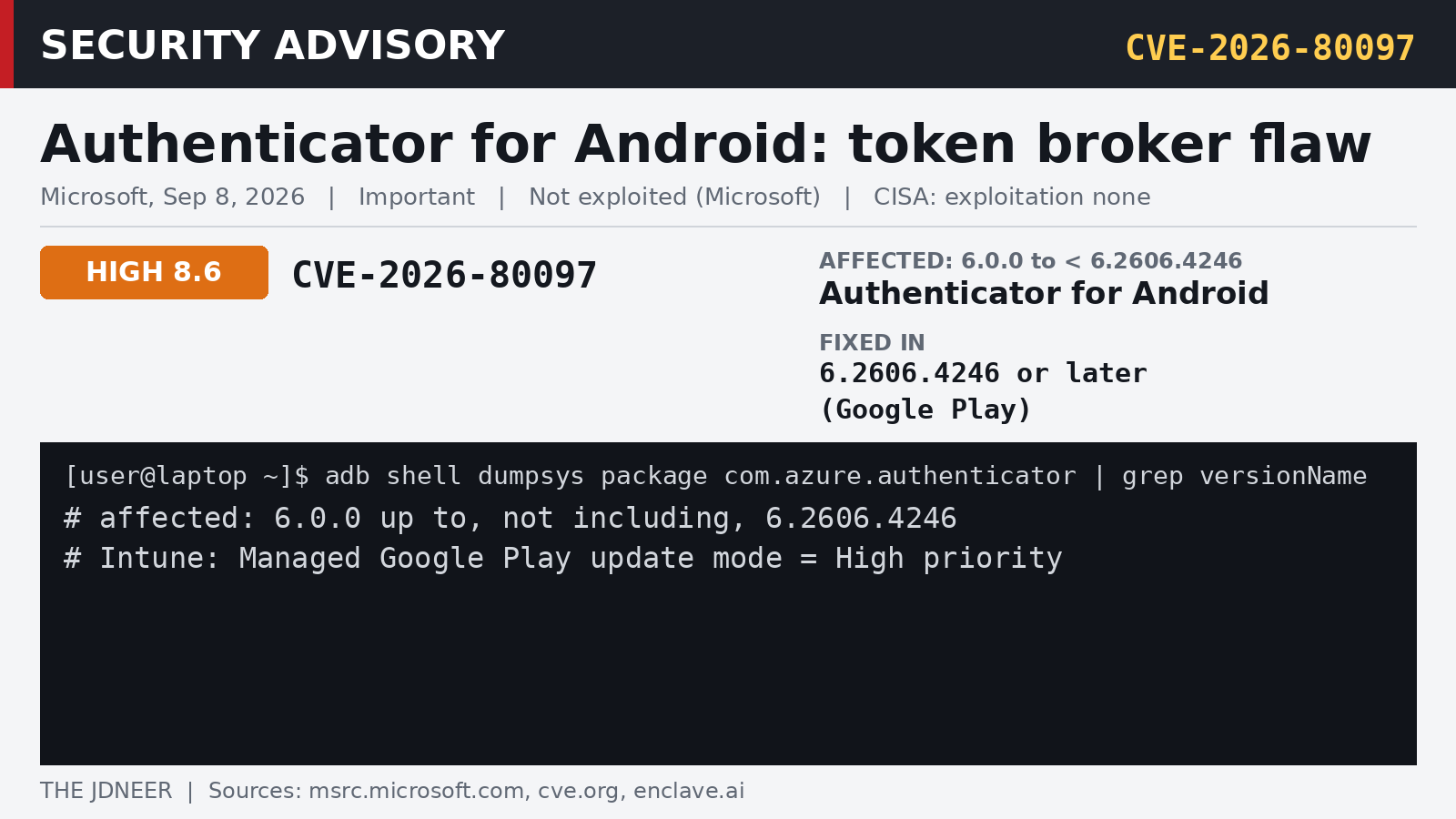
A headline about Microsoft Authenticator leaking tokens to Android apps with "zero permissions" is making the rounds this week. Before anyone panics: this is not a new zero-day. Microsoft fixed it and published CVE-2026-80097 on September 8, 2026, as part of September Patch Tuesday. What is new is the researchers' write-up, which shows exactly how the bug worked. That makes it a good moment to check that the fix actually landed on every phone you care about.
What it actually is
Microsoft calls it the "Microsoft Authenticator Elevation of Privilege Vulnerability" and describes it as "improper authentication in Microsoft Authenticator allows an unauthorized attacker to elevate privileges locally" (CWE-287). Only Microsoft Authenticator for Android is listed. The iOS app is not part of this advisory.
On Android, Authenticator does more than show codes. When a work account is signed in, it acts as the sign-in broker for Microsoft apps like Teams and Outlook, and hands them tokens so you don't sign in to each app separately. That broker role is where the bug lived.
Ofek Levin of Enclave found that an exported activity in Authenticator, com.microsoft.identity.client.AccountChooserActivity, could be launched by any app on the device. It built the token request from values the calling app supplied: package name, client ID, redirect URI, scopes and caller UID. The validation checked that the redirect URI matched the signature of the package the caller claimed to be. Since the real Teams app is installed, a malicious app can read its public signature, build the matching redirect URI, and pass the check. Authenticator knew the real caller's package name, but never used it for the trust decision.
In Enclave's tests, posing as Teams and asking for Microsoft Graph returned access, refresh and ID tokens with delegated scopes such as Mail.ReadWrite, Mail.Send, Files.ReadWrite.All, Calendars.ReadWrite and Sites.ReadWrite.All. Posing as Authenticator's own client returned scopes for managing authentication methods and passkeys. In plain terms: mail, OneDrive, SharePoint, calendar and Teams, as the signed-in user.
How bad is it?
- Score: CVSS 3.1 base score 8.6, which is High on the CVSS scale. Microsoft's own severity rating is Important. The vector is
AV:L/AC:L/PR:N/UI:R/S:C/C:H/I:H/A:H: local attack, no privileges, user interaction required, scope changed. - What the attacker needs: per Microsoft's FAQ, the attacker has to get a malicious app installed and running on the victim's Android device and convince the user "to complete an authentication flow in Microsoft Authenticator." The news coverage says no approval is needed. I'm going with Microsoft's description, which is what the score is based on.
- What they get: Microsoft says a successful attacker "could potentially gain the ability to authenticate against a remote host using the current user's credentials" and "obtain authentication tokens and access resources as the affected user."
- Exploitation: Microsoft lists it as not exploited and not publicly disclosed before the fix, with "Exploitation Less Likely." CISA's assessment on the CVE record also says exploitation "none." Enclave demonstrated the attack in its research and shows code snippets, but I'm not aware of a published, ready-to-run exploit.
Affected and fixed versions
- Affected: Microsoft Authenticator for Android 6.0.0 up to, but not including, 6.2606.4246 (CVE.org, NVD).
- Fixed: 6.2606.4246 or later, delivered through Google Play. Microsoft corrected the fix build number in the advisory on September 15, so if you saw a different number in early September, go with 6.2606.4246.
- Not listed: Authenticator for iOS.
How to check your version
On the phone: open Settings > Apps > Authenticator. The version is shown on the app info page. Anything at 6.2606.4246 or higher is fixed.
If you have a test phone on USB with developer mode on:
[user@laptop ~]$ adb shell dumpsys package com.azure.authenticator | grep versionNameAdmins can also check the reported app version per device in the Intune admin center under the app's device install status.
What to do
On your own Android phone
- Open Google Play, search for Microsoft Authenticator, and tap Update if it shows up.
- Turn on auto-update for it: on the app's Play Store page, tap the three-dot menu and enable Enable auto update.
- Review what you have installed outside Google Play. Go to Settings > Apps > Special app access > Install unknown apps and switch it off for browsers, file managers and chat apps that don't need it.
- Keep Google Play Protect on.
On iPhone
The iOS app isn't affected by this CVE. Keep it updated through the App Store anyway, since it is the app that guards your accounts.
If you manage devices with Intune
- Force the update. Managed Google Play apps by default only update on Wi-Fi, while charging and when the phone is idle, so they can lag for days. For Authenticator, set the assignment's update mode to High priority in Apps > All apps > Microsoft Authenticator > Properties > Assignments (Microsoft Learn). Don't leave it on Postponed, which holds updates for 90 days.
- Block sideloading. For personally owned work profile devices, set Prevent app installations from unknown sources in the personal profile to Block, and set Threat scan on apps to Require. On corporate-owned devices, don't allow installation from unknown sources (device restriction settings).
- Check who is still behind. Look at the install status for Authenticator and follow up on devices that report a version below 6.2606.4246, including phones that haven't checked in recently.
- If you suspect a user was hit, revoke their sessions in the Entra admin center (user > Overview > Revoke sessions) or with Graph PowerShell, as described in Microsoft Learn. Revoking stops the refresh tokens. Access tokens that were already issued stay valid until they expire. Then review the user's sign-in logs and mailbox activity.
PS> Revoke-MgUserSignInSession -UserId $User.IdMy take
The bug itself is a classic: the app knew who was really calling and trusted what the caller said instead. The useful lesson for the rest of us is about the setup around it. A broker app on your phone holds the keys to your work account, and the only thing standing between it and a malicious app is that app's own checks. Two things make this kind of bug much less scary: phones that pull security updates within hours, not weeks, and no random APKs sitting next to your work account. If your MDM doesn't enforce both yet, this is your reminder.
Sources: Microsoft Security Update Guide, CVE-2026-80097; CVE.org record CVE-2026-80097; NVD CVE-2026-80097; Enclave research write-up; Microsoft Authenticator on Google Play; Microsoft Learn: Managed Google Play app updates; Microsoft Learn: Android Enterprise device restrictions; Microsoft Learn: Revoke user access in Entra ID.
More like this
- Nextcloud Admins: Update or Remove the Collabora Built-in CODE App (CVE-2026-110447)
- HTTP2Shell (CVE-2026-111497): What the Brotli Decoder Bug Really Hits, and How to Patch
- Package Cooldowns Compared: GitHub Package Firewall vs. What npm, pnpm, Yarn, Bun, pip, uv and Poetry Already Do
- Your Mesh VPN Agent Is Root on Every Box. Tailworm Is the Reminder.